A Shopify Plus store is only as strong as the tools around it. The right apps can lift conversion, automate support, increase customer lifetime value, and keep operations running smoothly at high volume. The wrong ones slow your store, create data headaches, and drain budget. This guide covers 15 of the best Shopify Plus apps for enterprise stores in 2026, what each one does, and how to choose and manage your stack wisely.
If you are earlier in your journey and want a broader list, see our roundup of the best Shopify apps for sales, SEO and operations. The list below focuses on tools that scale for larger catalogs, bigger teams, and higher traffic.
What Makes an App Right for a Plus Store?
Not every popular app suits an enterprise setup. When evaluating tools, check the following criteria.
- Scalability: can it handle your order volume, catalog size, and traffic spikes without slowing down?
- Performance impact: does it load heavy scripts, and does it support modern Shopify features that keep pages fast?
- Checkout compatibility: does it work with checkout extensibility and the current customer account experience?
- Integration depth: does it connect with your other systems, including email, ERP, analytics, and support tools?
- Support quality: is there responsive help for critical issues, ideally with a dedicated contact?
- Pricing model: costs that rise with revenue or orders need to be modeled so they do not surprise you.
- Data ownership and security: understand where your customer data lives and how it is protected.
Features and pricing change often, so treat the descriptions below as a starting point and confirm current details with each vendor before you decide.
The 15 Best Shopify Plus Apps
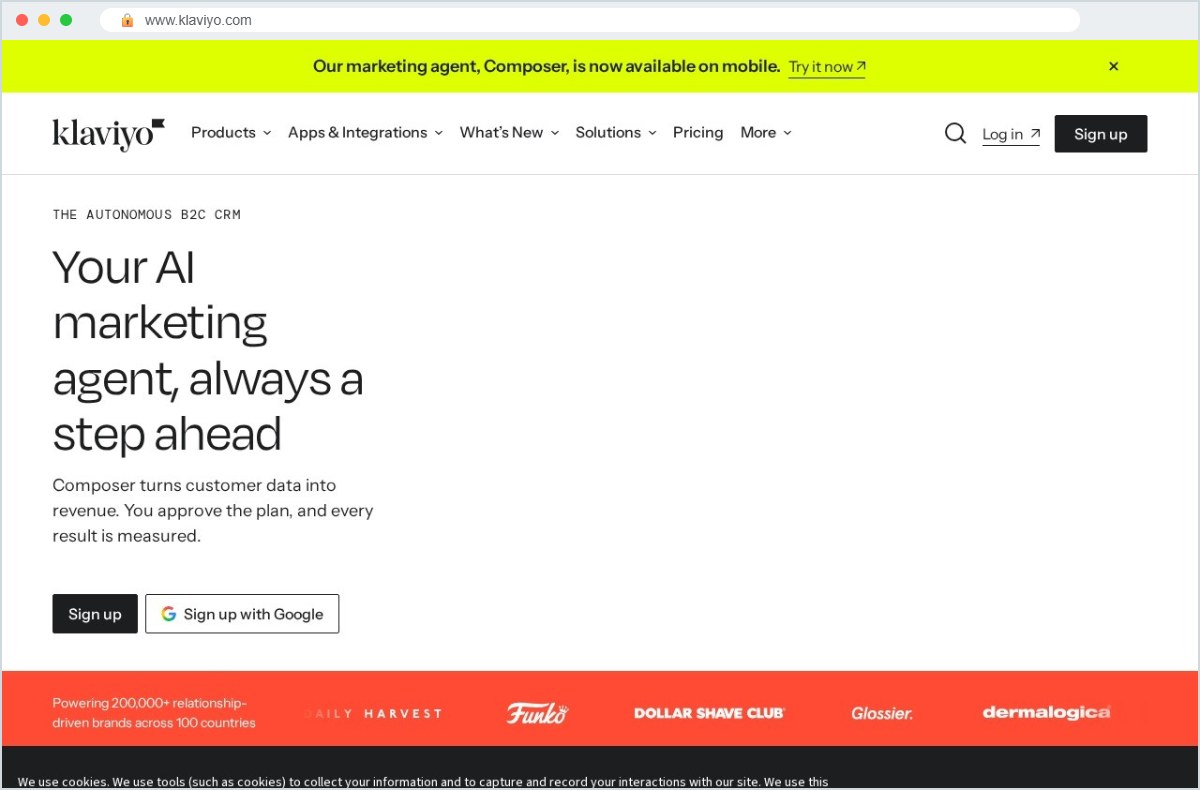
1. Klaviyo (Email and SMS)
Klaviyo is a leading choice for lifecycle email and SMS on Shopify. It pulls store data such as browsing behavior, past orders, and product interests, then uses it to trigger flows like welcome series, browse abandonment, post purchase, and win back campaigns. Segmentation is powerful, which lets you send the right message to the right person instead of blasting your whole list. Plus brands value its reporting and its ability to handle large lists. Plan for implementation time, because the real return comes from well designed flows and clean data, not from simply installing the app.
2. Attentive (SMS marketing)
Attentive focuses on text message marketing, with tools for sign up capture, automated journeys, and personalized campaigns. SMS can deliver strong engagement for flash sales, back in stock alerts, and abandoned cart reminders. Compliance matters a great deal, so build consent capture carefully and respect quiet hours and local rules. Many brands run SMS alongside email so each channel supports the other.
3. Postscript (SMS for ecommerce)
Postscript is built specifically for ecommerce text messaging and integrates closely with Shopify data. It supports automations, segmented campaigns, and two way conversations with customers. For teams that prefer a straightforward interface and conversational support, it is a popular alternative to larger platforms. Compare pricing models by message volume, because costs scale with the size of your list and your sending frequency.
4. Gorgias (Customer support)
Gorgias is a helpdesk designed around ecommerce. Support agents see order details, customer history, and actions such as refunds and edits right inside the ticket, which cuts handling time. Macros and automation answer common questions like order status and returns without human effort. For Plus brands handling thousands of tickets, the time saved and the better customer experience can be substantial.
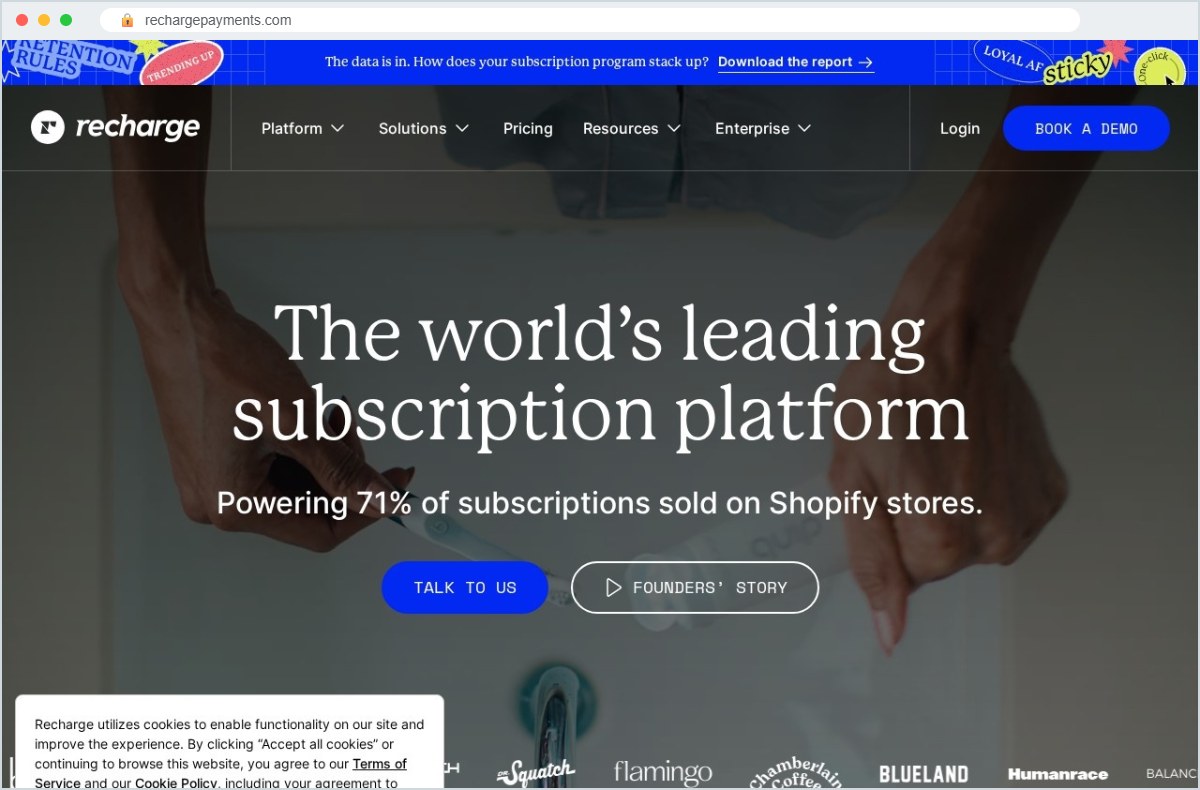
5. Recharge (Subscriptions)
Recharge powers subscriptions and recurring orders for many Shopify brands. It supports flexible plans, customer portals for managing subscriptions, and integrations with email and loyalty tools. Subscriptions raise lifetime value and make revenue more predictable, but they require attention to churn, skip and swap options, and clear communication. Our guide on Shopify subscriptions explains how to design a program that customers keep.
6. Yotpo (Reviews and loyalty)
Yotpo combines reviews, user generated content, and loyalty tools in one suite. Reviews and photos build trust on product pages and can improve conversion and search visibility. Loyalty and referral features encourage repeat purchases. A suite approach reduces the number of separate apps you need, which can help store speed, though you should confirm that each module meets your needs.
7. Okendo (Reviews and customer marketing)
Okendo offers reviews, ratings, and customer attributes that help shoppers choose the right product. Features such as photo and video reviews, attribute filters, and referral programs support both conversion and community. It integrates well with Shopify themes and with email platforms, so review content can also appear in campaigns.
8. LoyaltyLion (Loyalty and rewards)
LoyaltyLion helps brands build points, tiers, and reward programs that bring customers back. A good loyalty program rewards more than purchases, including reviews, referrals, and social follows. Define the economics carefully so rewards drive profitable behavior. Integration with email and SMS lets you personalize messages by loyalty tier.
9. Loop Returns (Returns and exchanges)
Returns are a major cost and a major experience moment. Loop streamlines returns with a self service portal, automated label creation, and options to offer exchanges or store credit instead of refunds. Encouraging exchanges can protect revenue, and the data from return reasons helps you improve products and sizing guidance.
10. Rebuy (Personalization and upsells)
Rebuy provides product recommendations, cross sells, upsells, and smart cart features. Showing relevant items at the right moment, for example in the cart or after checkout, raises average order value. Test placements carefully so recommendations help rather than distract, and measure results against a control group.
11. Nosto (Personalization)
Nosto delivers personalized product recommendations, content, and search across the shopping journey. It uses behavior data to adapt what each visitor sees. For large catalogs, personalization can help shoppers find products faster and discover items they might have missed. The benefit grows with traffic and catalog depth.
12. Algolia (Search and discovery)
Search quality has a direct effect on revenue, because shoppers who use search are often highly motivated. Algolia offers fast, typo tolerant search with filtering and merchandising controls. It is a strong choice for large catalogs where the default search is not enough, and it can also support headless storefronts.
13. Avalara (Tax compliance)
Selling in many regions means complex sales tax and VAT rules. Avalara automates tax calculation, filing, and compliance so your finance team does not track every jurisdiction manually. For brands expanding across states or countries, automation reduces risk and prevents costly mistakes.
14. Triple Whale (Analytics and attribution)
Triple Whale pulls data from your store and ad platforms into a single view, helping marketers understand performance across channels. Attribution is imperfect, so use it to spot trends and test ideas rather than as absolute truth. A single dashboard saves time for teams that otherwise juggle many reports.
15. ShipStation (Shipping and fulfillment)
ShipStation helps manage shipping at volume, with carrier rate comparison, label printing, batch processing, and tracking updates. Automation rules assign carriers and packaging based on weight, destination, or order value. For brands shipping many orders a day, it reduces errors and cuts shipping cost.

How to Build a Lean App Stack
More apps rarely mean better results. Every app adds code, cost, and a place where something can fail. Build your stack deliberately.
- Start with goals: choose apps only for outcomes you can measure, such as higher repeat rate or lower support time.
- Use native features first: Shopify’s built in tools cover more each year, so check before adding an app.
- Prefer suites where they fit: one tool that handles reviews and loyalty can beat two separate apps.
- Test performance: measure page speed before and after installing any app.
- Audit quarterly: remove unused or duplicate apps, and clean leftover code from your theme.
- Document ownership: record who manages each app, what it costs, and what it integrates with.
Apps and Your Marketing Stack
Email, SMS, reviews, and loyalty tools work best when they share data. For example, a review request can be triggered by a delivered order, a loyalty tier can personalize an email, and a return reason can inform a product update. Plan these connections before you buy. For a deeper look at building revenue generating flows, read our Shopify email marketing guide, and pair it with our tactics for recovering abandoned carts so your flows capture revenue that would otherwise be lost.
Connecting Apps to Your Back Office
As volume grows, apps need to work with your ERP, warehouse, and accounting systems. Poorly planned connections cause duplicate data, mismatched inventory, and manual cleanup. Decide which system is the source of truth for each type of data, such as products, prices, inventory, and customers, and design integrations around that decision. Our complete guide to Shopify ERP integration explains common patterns and mistakes so your app stack and back office stay aligned.
Common App Mistakes on Plus Stores
- Installing apps without a plan: every tool should have a purpose, an owner, and a success metric.
- Ignoring performance: heavy scripts hurt conversion and search rankings.
- Forgetting to uninstall: removed apps can leave code behind that continues to slow pages.
- Overlapping functionality: paying for several tools that do the same job wastes money.
- Skipping testing at checkout: new apps can interfere with discounts, shipping, and payment flows.
- Not planning for scale: pricing based on orders or revenue can jump as you grow.
Shopify Plus Apps: FAQs
Do Plus stores need special apps?
No, but some apps are built or certified for enterprise needs, offering higher limits, better support, and deeper integrations. Choose based on your scale and requirements.
How many apps is too many?
There is no fixed number. The right amount is the smallest set that delivers your goals without hurting performance. Audit regularly and remove what does not earn its place.
Can custom apps replace paid apps?
Sometimes. If you need a small, specific function, a custom app or Shopify Function can be cheaper and faster than a large third party tool. For complex needs, an established app is usually the better choice.
How do I test an app safely?
Install it on a development or staging store first, measure the effect on speed and checkout, and roll it out gradually on the live store.
What is the best way to compare similar apps?
Run a short trial with real data, compare setup effort and results, and talk to the vendor about support and roadmap. Customer references from similar brands are especially useful.
Sample App Stacks by Business Stage
There is no single perfect stack, but examples help you see how choices change as a business grows. Treat these as starting points, not rules.
Early Plus brand with a small team
Keep it simple. Choose one email and SMS platform, one reviews tool, one support helpdesk, and a basic returns solution. Lean on native Shopify features for search, discounts, and analytics where possible. The priority is to prove that your core flows work and that customers receive a smooth experience, before adding more specialized tools.
Scaling brand with rising order volume
Add a subscriptions engine if you sell consumables, a loyalty program to raise repeat rate, and a personalization or upsell tool to lift order value. Improve support with automation and macros, and add tax automation if you sell across regions. At this stage, review app performance every quarter, because the number of scripts can grow quickly.
Enterprise brand with complex operations
Invest in advanced search, personalization, data and attribution tools, and strong integrations with ERP and fulfillment systems. Introduce governance: a named owner for each app, a change process, and a testing routine for releases. Large teams benefit from a central register of tools, costs, and contracts so renewals are planned rather than surprising.
Questions to Ask Every App Vendor
A short, consistent list of questions makes vendor comparison faster and more objective. Ask each provider the following.
- How do you handle traffic spikes during large sales events, and what is your uptime record?
- Do you support checkout extensibility and the new customer accounts?
- What is the typical effect on page speed, and can you share performance data?
- How does pricing change as our orders, revenue, or contacts grow?
- What support levels are included, and what are the response times for urgent issues?
- Which integrations are native, and which require custom work?
- How can we export our data if we decide to leave?
- Can you provide references from brands of a similar size and category?
The answers reveal a lot. Vendors who respond with specifics, data, and honest limits are usually the better long term partners.
A Practical Rollout Timeline for New Apps
Adding an app should be a small project, not an afterthought. In the first week, define the goal, the owner, and the success metric, then install the app on a development store. In the second week, configure it, connect integrations, and test on desktop and mobile, including checkout. In the third week, launch to a portion of traffic or a single market if possible, and watch speed, errors, and conversion. By the fourth week, review the data, fix issues, and decide whether to expand, adjust, or remove the app. Following this rhythm keeps surprises small and gives you evidence to justify each subscription.
Managing Costs and Contracts Across Your Stack
App spending is easy to overlook because it is spread across many small subscriptions. Create a single register that lists every app, its monthly cost, its renewal date, its owner, and the metric it is meant to improve. Review the register every quarter. Any app that has no clear owner or whose metric has not moved should be a candidate for removal. When contracts are annual, negotiate before renewal, especially for tools priced by revenue or contacts, since volume often gives you leverage.
It also pays to model future cost. If an app charges by orders or by the size of your email list, calculate what it will cost when your volume doubles. Surprises usually appear in the months after a successful campaign, when usage jumps and the bill follows. Knowing the number in advance lets you decide whether to keep the tool, renegotiate, or switch to an alternative with a better pricing structure.
Finally, keep security in mind. Every app that connects to your store can access some customer or order data. Review the permissions each app requests, remove access for tools you no longer use, and make sure vendors meet your privacy and compliance expectations. A lean, well governed stack is cheaper, faster, and safer than a sprawling one.
Training Your Team on the Tools You Choose
The best app in the world delivers little if nobody uses it well. Schedule short training sessions when a new tool launches, record walkthroughs for future hires, and write a one page guide that explains the most common tasks. Encourage the owner of each app to share quick wins and lessons in a monthly meeting. When people understand how a tool connects to goals such as repeat purchases or faster support, they use it with care and spot problems sooner. Over time, this culture of ownership is what turns a collection of apps into a real competitive advantage.
Final Thoughts
The best Shopify Plus apps are the ones that fit your goals, scale with your volume, and stay light on performance. Use this list to shortlist tools in each category, test with real data, and keep your stack lean. With a careful approach, your apps become a connected system that grows revenue and saves time rather than a pile of subscriptions.