Shopify makes it easy for businesses to sell products online, manage storefronts, and accept payments. However, as an ecommerce business grows, managing orders, inventory, accounting, purchasing, and fulfillment through separate systems becomes increasingly difficult.
This is where Shopify ERP integration becomes valuable. By connecting Shopify with an Enterprise Resource Planning (ERP) system, businesses can synchronize essential operational data, reduce manual data entry, improve inventory visibility, and establish more reliable financial reporting.
An integrated ecommerce and ERP environment allows sales, finance, warehouse, purchasing, and customer service teams to work with consistent information. Instead of updating several systems separately, employees can follow standardized workflows that keep orders, stock levels, customer records, and financial transactions aligned.
In this guide, we explain how Shopify ERP integration works, which data businesses should synchronize, how to choose an ERP platform, and what to consider when implementing an integration with systems such as NetSuite and Acumatica.
What Is Shopify ERP Integration?
Shopify ERP integration connects a Shopify ecommerce store with an ERP platform so that information can move between the two systems automatically or according to defined synchronization schedules.
Shopify primarily manages the online selling experience, including product listings, shopping carts, checkout, customer interactions, and order creation. An ERP system manages broader business operations, including financial accounting, inventory planning, procurement, warehouse management, supplier records, and operational reporting.
When these systems operate independently, employees often need to export spreadsheets, import order records, update stock quantities manually, and reconcile financial transactions at the end of the day. This creates additional work and increases the possibility of inconsistent data.
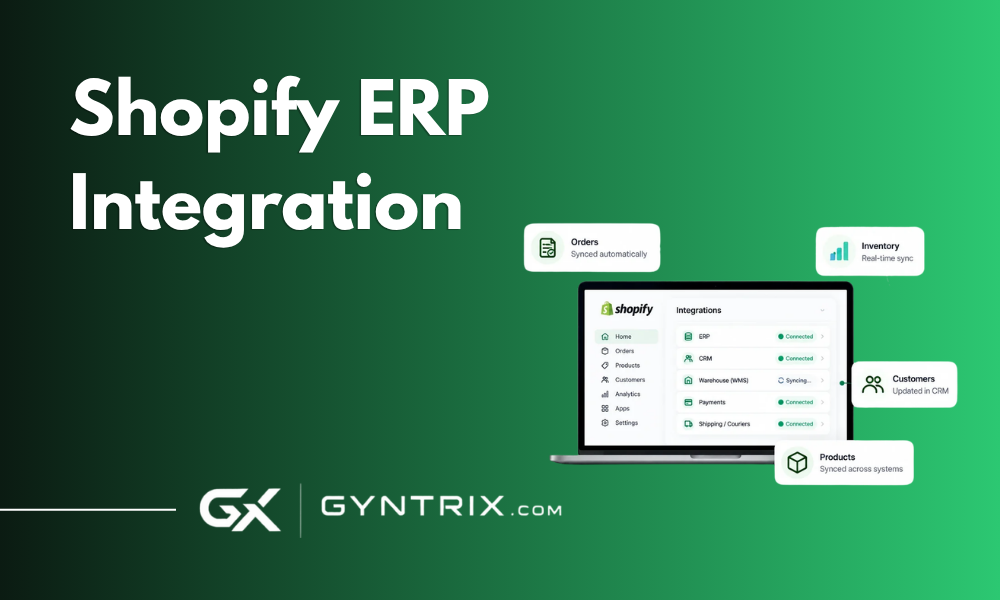
An integration creates a structured connection between the platforms. When a customer places an order in Shopify, the integration can transfer the relevant order information to the ERP. When inventory changes in the ERP, updated stock availability can be sent back to Shopify.
The exact capabilities depend on the ERP platform, Shopify configuration, connector, and business requirements. Businesses planning a new storefront can review Shopify development services before selecting an integration architecture.
Why Do Shopify Stores Need ERP Integration?
1. Reduce Manual Order Processing
Without integration, employees may need to copy Shopify order details into the ERP before warehouse staff can begin processing an order. This can introduce delays, duplicate records, incorrect quantities, and shipping errors.
An automated workflow transfers order information according to defined rules. Staff can spend less time entering data and more time resolving exceptions, improving fulfillment processes, and serving customers.
2. Improve Inventory Accuracy
Inventory discrepancies can lead to overselling, canceled orders, delayed deliveries, and disappointed customers.
When inventory is maintained across Shopify, warehouse software, and an ERP, every system needs a clear responsibility for stock updates. An integration can synchronize available quantities, account for reserved inventory, and apply business rules for different warehouses.
3. Streamline Accounting
Online sales create financial information across orders, discounts, taxes, shipping charges, payment processors, refunds, and fees. Entering each transaction individually can make reconciliation time-consuming.
An ERP integration can transfer sales and settlement data into the appropriate financial workflows. Depending on the configuration, the ERP may receive individual transactions, summarized journal entries, invoices, or settlement records.
4. Support Business Growth
Growing businesses often introduce additional warehouses, product categories, sales channels, suppliers, and legal entities. A manual process that worked previously can become a bottleneck.
An integrated system provides a structured foundation for managing these operations. It also gives management better visibility into sales performance, stock availability, purchasing requirements, and financial results.
5. Improve Customer Experience
Customers expect accurate product availability, timely shipping updates, and reliable order status information.
When order and inventory information moves consistently between systems, customer service teams can answer questions with greater confidence. Warehouse staff can also work from accurate fulfillment instructions, reducing avoidable delays.
How Does Shopify ERP Integration Work?
A Shopify ERP integration typically uses an application connector, middleware platform, custom API integration, or a combination of these approaches.
The architecture determines how information moves, which system controls each data type, how errors are handled, and whether synchronization occurs in real time or in scheduled batches.
- Order creation: A customer places an order in Shopify. The order contains products, quantities, customer details, discounts, shipping information, and applicable taxes.
- Data validation: The integration checks required fields, identifies the correct customer and product records, and applies mapping rules.
- ERP processing: The order information enters the ERP as a sales order, invoice, fulfillment request, or another supported transaction.
- Inventory synchronization: The ERP or designated inventory system updates stock records and communicates relevant availability information to Shopify.
- Financial synchronization: Payment and settlement data is matched against orders and accounting records. Refunds, fees, taxes, and adjustments follow the agreed accounting model.
- Error monitoring: Failed transactions, missing product mappings, inventory conflicts, and duplicate records are logged for investigation and correction.
The most important principle is that synchronization should not simply copy data between systems. It should preserve business rules, transaction relationships, and data ownership.
Which Data Should You Synchronize Between Shopify and ERP?
Not every field needs to move in both directions. A well-designed integration identifies the authoritative system for each data category and defines exactly when information should be transferred.
Order Data
Order synchronization is often the first priority because it connects the storefront directly to fulfillment and finance.
- Shopify order ID and order number
- Customer details and billing address
- Shipping address and delivery method
- Product SKU, quantity, and unit price
- Discounts and promotional adjustments
- Shipping charges and taxes
- Payment and fulfillment status
- Refund and cancellation details
Order status requires particular attention. A Shopify order marked as paid is not necessarily fulfilled, and an ERP sales order is not necessarily an invoice. Mapping these states correctly prevents confusion across departments.
Inventory Data
Inventory synchronization keeps product availability aligned across the ecommerce store and operational systems.
Common inventory fields include SKU, warehouse or location, on-hand quantity, allocated stock, available quantity, and replenishment information.
The integration must define how stock is calculated. For example, a business might calculate available inventory by subtracting allocated stock and safety stock from the quantity on hand. The exact formula depends on warehouse processes and ERP capabilities.
Product Data
Product information may originate in Shopify, the ERP, or a Product Information Management system. Depending on the architecture, synchronization may include product names, SKUs, descriptions, variants, barcodes, cost information, pricing, and product status.
Businesses should decide which system controls each field. For instance, the ERP may control SKU and cost data, while Shopify manages storefront descriptions, product imagery, and merchandising content.
Customer Data
Customer synchronization helps maintain consistent customer records across sales and financial systems. Relevant fields can include customer names, email addresses, billing details, shipping addresses, tax identification details where applicable, and ERP customer IDs.
Duplicate prevention is important when customers use different email addresses, place guest orders, or purchase through multiple sales channels. The integration should use defined matching rules rather than assuming every incoming order represents a new customer.
Accounting and Payment Data
Financial synchronization may include sales totals, tax amounts, discounts, refunds, payment processor fees, deposits, and settlement references.
A robust design distinguishes the original sale from the payment transaction and the subsequent settlement. These events may happen at different times and may not match the order total because of fees, partial refunds, or other adjustments.
The integration should preserve relationships between transactions so accounting teams can trace entries back to the original Shopify order and payment settlement.
Fulfillment and Shipping Data
Shipping information connects warehouse operations with the customer-facing order status. Depending on the systems involved, this may include fulfillment status, tracking numbers, carrier information, shipment dates, partial shipments, and delivery updates.
For split shipments, the integration must support multiple fulfillment events for a single order instead of assuming that every order ships in one package.
Best ERP Systems for Shopify Integration
The right ERP platform depends on business size, accounting complexity, warehouse requirements, manufacturing needs, and future growth plans. There is no single ERP that is the best choice for every Shopify merchant.
Shopify and NetSuite Integration
Oracle NetSuite is a cloud ERP platform that combines financial management with capabilities for inventory, order management, purchasing, and multi-entity operations.
Shopify and NetSuite integration can help businesses that have outgrown basic accounting software and need stronger control over financial reporting and operational processes.
Common use cases include synchronizing Shopify orders with NetSuite sales orders, managing inventory across locations, reconciling payments, and coordinating fulfillment with ERP records.
NetSuite can be particularly relevant for businesses operating across multiple subsidiaries, currencies, or markets. However, the implementation must account for the company's tax configuration, accounting policies, item records, and transaction workflows.
Some integrations use prebuilt connectors, while others require custom development to support complex order routing, product configurations, or specialized financial processes. Businesses can explore NetSuite development and integration services for ERP customization, data integration, and system development.
Shopify and Acumatica Integration
Acumatica is a cloud ERP platform that supports financial management, distribution, inventory, manufacturing, and other operational processes.
Shopify and Acumatica integration can be useful for retailers, wholesalers, distributors, and manufacturers that need closer coordination between ecommerce orders and inventory operations.
For example, a distributor may receive orders through Shopify while maintaining purchasing, warehouse quantities, supplier information, and financial transactions in Acumatica. Integration can reduce manual order entry and improve visibility into product availability.
Businesses with multiple warehouses can define rules for allocating orders to the appropriate location. Manufacturers may also need to account for production schedules, component availability, and replenishment lead times when displaying stock availability online.
Acumatica's flexibility can be valuable when standard workflows need customization. However, integration requirements should be assessed carefully before deciding whether a prebuilt connector is sufficient.
Gyntrix provides Acumatica development and implementation services covering system customization, data migration, and third-party integrations. Businesses can also explore Acumatica integration services when evaluating implementation requirements.
How Should You Choose Between NetSuite and Acumatica?
The decision should begin with operational requirements rather than a comparison of feature lists.
NetSuite may be a strong candidate for businesses that need extensive multi-entity financial management, international operations, and consolidated reporting. Acumatica may suit organizations that prioritize distribution, manufacturing, warehouse processes, and flexible deployment or licensing arrangements.
These are general considerations, not universal rules. Both platforms can support complex business operations, and the suitability of either depends on the specific implementation.
Review the Acumatica vs. NetSuite comparison to evaluate differences in functionality, pricing structure, deployment, and business fit.
Before selecting an ERP, document your order volume, warehouse structure, accounting requirements, reporting needs, and expected growth over the next few years.
Shopify ERP Integration Methods
Businesses can connect Shopify to an ERP in several ways. Each approach has different implications for implementation time, customization, maintenance, and scalability.
1. Prebuilt Integration Connectors
Prebuilt connectors provide existing mappings and workflows for supported systems. They may synchronize orders, customers, inventory, products, and fulfillment information with limited custom development.
This approach can work well when standard processes meet business requirements. Before selecting a connector, confirm that it supports your ERP version, Shopify configuration, required transaction types, and any additional applications used by your team.
A connector that handles basic orders may not support complex refunds, bundles, subscriptions, multi-location inventory, or advanced accounting rules.
2. Middleware and Integration Platforms
Middleware connects Shopify and the ERP through a central integration layer. It can transform data, route transactions, apply business rules, and coordinate information between multiple applications.
This is useful when the business uses Shopify alongside shipping platforms, warehouse management systems, marketplaces, CRM software, and payment services. Middleware can reduce the need to build separate point-to-point connections for every application, although it introduces another component that must be configured and monitored.
3. Custom API Integration
A custom integration uses available APIs and application-specific development to build workflows around the company's requirements.
This approach can be appropriate when the business needs specialized order routing, custom inventory calculations, unique accounting mappings, or advanced exception handling.
Shopify and the ERP must be integrated using supported authentication, API permissions, rate limits, and data models. Developers should also account for retries, duplicate events, API failures, and changes to platform versions.
Custom integration provides flexibility, but it requires technical ownership and ongoing maintenance. Businesses looking for dedicated technical resources can review ERP development and integration expertise.
4. Hybrid Integration
A hybrid approach combines prebuilt connectors with custom middleware or API development.
For example, a connector may handle standard product and order synchronization, while a custom service manages complex refund reconciliation or warehouse allocation.
This can be a practical option when most workflows are standard but a few important processes require customization.
Step-by-Step Shopify ERP Integration Process
A successful integration requires more than connecting two applications. Businesses should plan the data structure, operational rules, testing process, and ongoing monitoring before launching the workflow.
Step 1: Map Existing Business Processes
Document how orders move from checkout to fulfillment, how inventory changes are recorded, and how sales reach the accounting system.
Identify every manual step, spreadsheet, approval, and application involved in the process. Determine whether orders are reviewed before entering the ERP, whether payment capture occurs at checkout or shipment, and whether warehouse staff can split an order across locations.
Step 2: Define Data Ownership
Choose the authoritative system for each type of information.
A typical arrangement might assign storefront content to Shopify, inventory and procurement to the ERP, and financial reconciliation to the accounting system. However, the best configuration depends on the business. If a warehouse management system controls physical stock, the ERP may not be the immediate source of every inventory update.
Create a data ownership matrix that specifies the source, destination, synchronization direction, and update frequency for each field. This prevents conflicting updates and makes troubleshooting easier.
Step 3: Clean and Standardize Data
Integration cannot compensate for poor source data.
Review SKUs, product variants, customer records, tax codes, units of measure, warehouse identifiers, and account mappings before migration or synchronization.
Resolve duplicate products and inconsistent identifiers. Confirm that every active Shopify product has a corresponding ERP item where required. Clean data reduces mapping errors and makes it easier to validate results after implementation.
Step 4: Select the Integration Architecture
Choose between a prebuilt connector, middleware, custom API integration, or a hybrid model.
Consider order volume, synchronization frequency, customization needs, error handling, technical resources, and long-term maintenance. Do not choose solely on the initial setup cost. An inexpensive connector can become costly if it requires extensive workarounds, while a custom integration may be unnecessary for a business with straightforward requirements.
Step 5: Configure Data Mapping and Business Rules
Define how Shopify fields correspond to ERP records and which conditions trigger synchronization.
Determine whether orders transfer immediately after creation or only after payment confirmation. Establish rules for canceled orders, partial refunds, discounts, shipping charges, and tax treatment.
Inventory rules should account for reserved quantities, stock adjustments, multiple locations, and safety stock where relevant. Financial mappings should align with the company's chart of accounts and accounting procedures.
Step 6: Test the Integration
Test the complete order lifecycle rather than checking only whether an order appears in the ERP.
Include successful orders, failed payments, cancellations, partial shipments, refunds, inventory changes, duplicate events, and temporary API outages.
Verify that financial totals reconcile and that the integration does not create duplicate customers or transactions when events are retried. Run the integration in a controlled environment before enabling it for all live orders.
Step 7: Launch in Phases
A phased rollout reduces risk and helps teams identify unexpected issues before they affect the entire business.
Start with a limited group of products, warehouses, or order types. Compare results against the existing process, correct discrepancies, and gradually increase the scope.
During launch, assign clear ownership for integration monitoring, error resolution, and business approvals.
Step 8: Monitor and Improve
After launch, track synchronization failures, processing delays, inventory discrepancies, and reconciliation differences.
Review recurring errors and improve the underlying mapping or business rules rather than repeatedly correcting the same transactions manually. Regular reviews help keep the architecture aligned with changing business operations.
Common Shopify ERP Integration Challenges
Inventory Mismatches
Inventory differences can occur when multiple systems update stock independently or when synchronization is delayed.
A clear inventory ownership model, event processing rules, and scheduled reconciliation can reduce these issues. For high-volume businesses, near-real-time updates may be necessary, but safeguards against simultaneous changes and duplicate events are still important.
Duplicate Orders and Customers
Webhooks and API requests can be retried when a network failure occurs. If the receiving system processes the same event more than once, duplicate records may appear.
Use stable transaction identifiers, idempotent processing, and duplicate detection to ensure repeated requests do not create additional orders or accounting entries.
Incorrect Tax and Accounting Mappings
Shopify orders may include discounts, shipping taxes, and multiple payment events. Mapping everything to a single sales figure can create reconciliation problems.
The integration should preserve the relevant tax, discount, refund, fee, and settlement details required by the accounting team. Tax configuration should be reviewed with the company's accounting or tax professionals.
API Limits and Synchronization Delays
Integration processes may slow down when order volumes increase or APIs impose request limits.
Developers should use efficient requests, respect rate limits, retry temporary failures with appropriate delays, and monitor processing queues. Critical workflows should have clear alerts when synchronization falls behind.
Custom ERP Workflows
Businesses frequently have approval steps, warehouse rules, custom fields, or industry-specific processes that are not supported by a standard connector.
These requirements should be documented before implementation. Depending on the complexity, custom development or a middleware layer may be necessary.
Poor Error Visibility
A failed integration is particularly dangerous when the failure remains unnoticed.
Every important workflow should record processing status, timestamps, relevant transaction identifiers, and useful error details. Authorized staff should be able to identify failed records and retry them safely after correcting the cause.
Shopify ERP Integration Best Practices
- Establish a single source of truth: Define which system owns each field and prevent unnecessary bidirectional updates.
- Use stable identifiers: Preserve Shopify order IDs, ERP record IDs, SKU values, and payment references for reconciliation and troubleshooting.
- Design for retries: Temporary failures should not result in lost orders or duplicate financial transactions.
- Protect sensitive information: Apply least-privilege access, secure credentials, encrypted communication, and appropriate controls for customer and financial data.
- Validate financial totals: Reconcile sales, refunds, taxes, fees, and settlement amounts regularly.
- Monitor inventory continuously: Track discrepancies between available, allocated, and physical quantities.
- Document the integration: Maintain field mappings, workflow rules, ownership decisions, and recovery procedures.
- Plan for future growth: Consider new warehouses, international expansion, higher order volumes, and additional sales channels.
How Much Does Shopify ERP Integration Cost?
Shopify ERP integration costs depend on the complexity of business processes, the selected ERP, the integration method, and the amount of customization required.
A straightforward integration using an existing connector may require relatively little development. A more complex implementation involving several warehouses, custom pricing, multiple legal entities, specialized accounting rules, and advanced fulfillment workflows will generally require more planning and testing.
Important cost factors include:
- Connector subscription and middleware licensing fees
- Shopify and ERP configuration
- Custom API development
- Data cleanup and migration
- Testing and reconciliation
- Security and access configuration
- Monitoring, support, and ongoing maintenance
Businesses should evaluate the total cost of ownership rather than focusing only on implementation fees. An integration that reduces repetitive work, prevents costly stock errors, and improves financial accuracy may provide substantial operational value over time.
To estimate the investment realistically, document the systems involved, required workflows, expected transaction volumes, and acceptance criteria before requesting proposals.
How Gyntrix Can Help With Shopify ERP Integration
Connecting Shopify to an ERP requires an understanding of ecommerce operations, data structures, financial workflows, and the technical capabilities of both platforms.
Gyntrix works across ecommerce development and ERP technologies, helping businesses assess integration requirements, configure systems, and build solutions around their operational processes.
Depending on project requirements, this can include Shopify integration planning, ERP customization, data mapping, API development, inventory synchronization, order automation, and post-launch support.
For companies with platform-specific requirements, Gyntrix also offers NetSuite developer support and Acumatica developer support for integration, customization, and ongoing development needs.
The right solution begins with understanding how your business operates today and identifying the processes that should become more accurate, automated, and scalable.
Conclusion
Shopify ERP integration helps growing ecommerce businesses connect storefront activity with inventory, fulfillment, and financial operations. By synchronizing orders, stock levels, customer information, and accounting data, companies can reduce manual work and improve visibility across departments.
The most effective integration is not necessarily the one with the largest number of features. It is the one that accurately reflects business processes, assigns clear ownership to data, handles exceptions safely, and remains maintainable as operations grow.
Start by mapping your existing workflows, cleaning your data, and identifying the most important synchronization requirements. Then choose an integration method that fits your systems, transaction volumes, and customization needs.
With careful planning, testing, and monitoring, Shopify ERP integration can create a more dependable operational foundation for ecommerce growth.
Frequently Asked Questions
What is Shopify ERP integration?
Shopify ERP integration connects a Shopify store with an enterprise resource planning platform to synchronize information such as orders, inventory, customer records, fulfillment status, and accounting transactions.
Which ERP systems can integrate with Shopify?
Shopify can be integrated with ERP platforms such as NetSuite and Acumatica, as well as other systems that support suitable connectors or API-based integration. Available workflows depend on the ERP, connector, and business requirements.
Can Shopify and an ERP synchronize inventory in real time?
Near-real-time inventory synchronization is possible when the integration architecture and platforms support it. Actual update speed depends on event processing, API limits, connector capabilities, and the inventory rules configured for the business.
Does Shopify ERP integration automate accounting?
It can automate parts of the accounting workflow, including sales data transfer, transaction mapping, and settlement reconciliation. The level of automation depends on the ERP configuration, payment processing setup, and accounting policies.
Is a custom Shopify ERP integration better than a prebuilt connector?
Not always. A prebuilt connector may be sufficient for standard workflows, while custom integration is useful for specialized business rules, complex fulfillment, or advanced accounting requirements. The best choice depends on the required functionality and total cost of ownership.
How long does Shopify ERP integration take?
The timeline depends on data quality, system complexity, integration method, and testing requirements. A straightforward connector setup may be completed relatively quickly, while a customized implementation involving multiple systems and complex workflows can take substantially longer.
What should businesses prepare before integrating Shopify with an ERP?
Businesses should prepare product and customer data, SKU mappings, inventory rules, accounting requirements, order workflows, system access, and clear acceptance criteria. Identifying the source of truth for each data type is particularly important.
Can Shopify ERP integration support multiple warehouses?
Yes, provided the ERP, Shopify configuration, and integration support the required location and allocation workflows. The implementation should define how inventory is calculated, where orders are routed, and how fulfillment updates return to Shopify.